
Using the Agreement App
agreement.RmdOur quallmer package includes the Agreement App, a
user-friendly interface that allows researchers to manually code data,
review LLM-generated annotations, and calculate intercoder reliability
scores such as Krippendorff’s alpha and Fleiss’ kappa. This tutorial
will guide you through the steps of using the Agreement App effectively.
If you prefer to work programmatically, we also provide instructions on
how to calculate agreement scores by simply using the
agreement() function at the end of this tutorial.
Launching the Agreement App
To launch the Agreement App, you can use the
agreement_app() function from the quallmer
package. Make sure you have the package loaded in your R environment.
Then, simply call the agreement_app() function. This will
open the Agreement App in a new window or tab in your web browser.
Using the Agreement App for manual coding
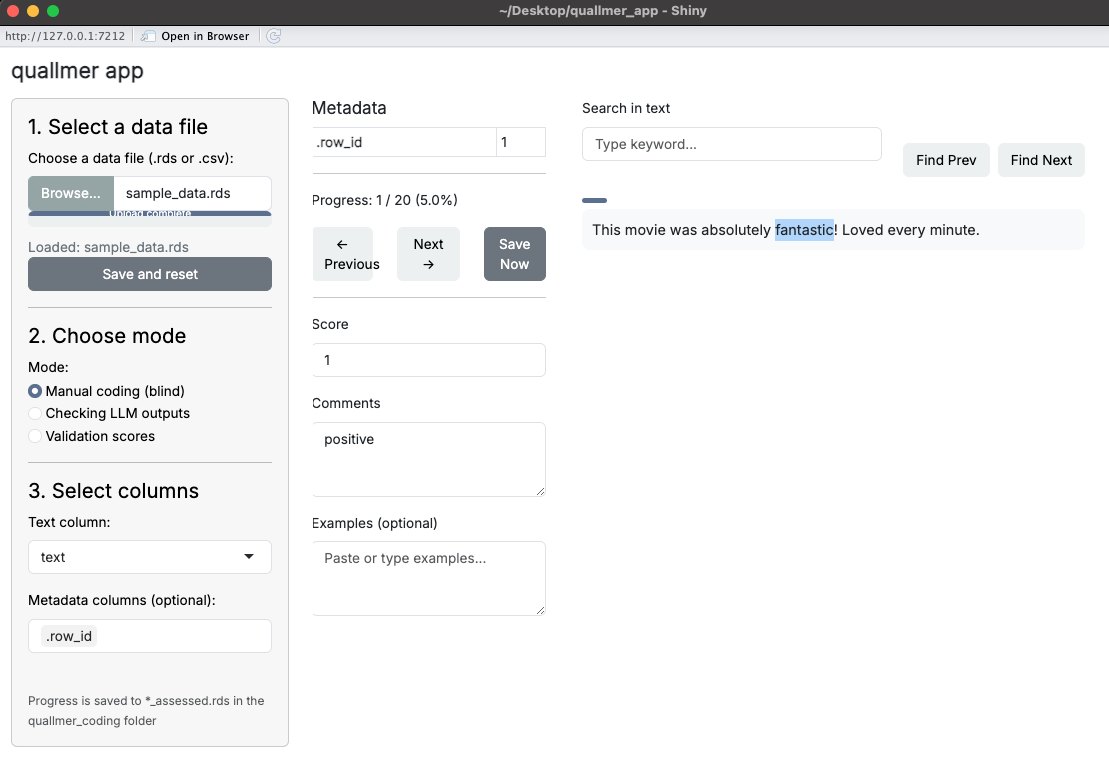
Once the Agreement App is launched, you can start by uploading your dataset. The app supports .csv or .rds file formats. After uploading your data, you can select the column containing the content (e.g., texts, images, etc.) you want to manually assess. While using the app, you can manually assign a score or comments to each text item based on your coding scheme. You can also save example sentences from each text item to help you remember your coding decisions later or as illustrative examples for your research.
Reviewing LLM-generated annotations
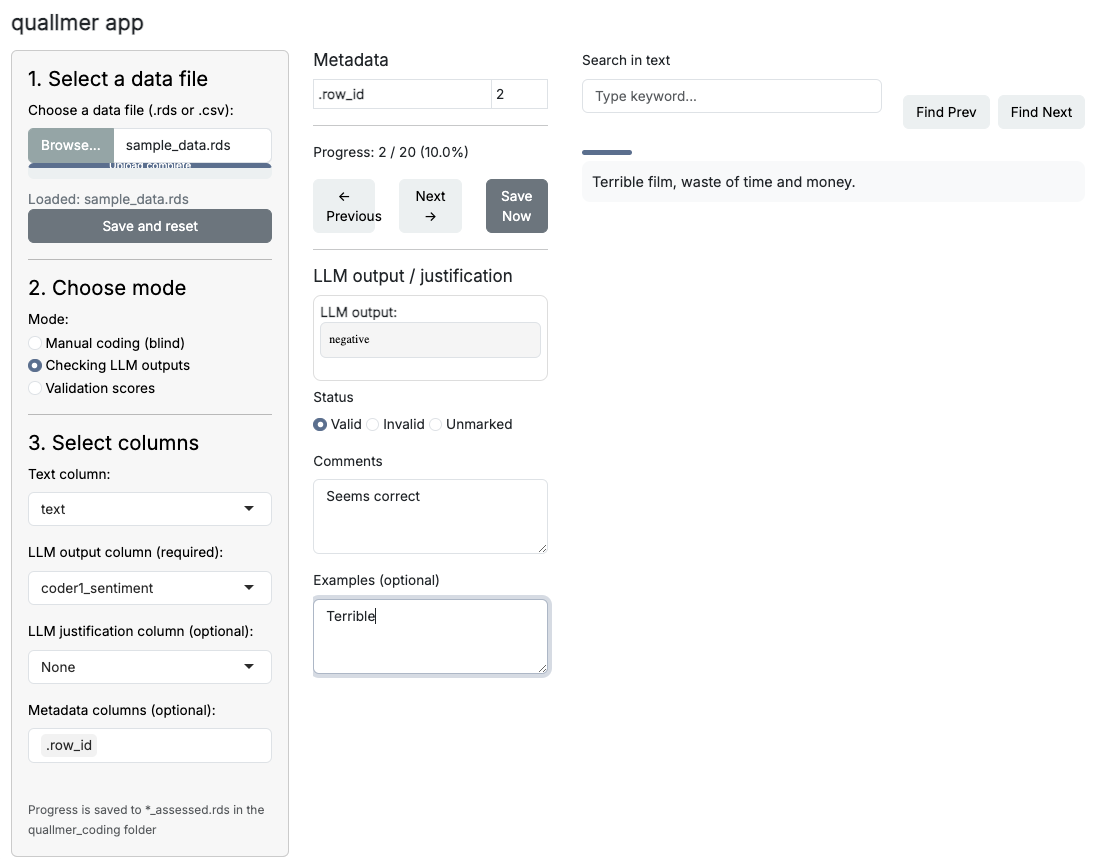
If you have previously used the quallmer package to
generate annotations using large language models (LLMs), you can upload
those annotations into the Agreement App for review. The app allows you
to check the LLM-generated codes alongside justifications provided by
the model. You can then decide whether to accept these annotations as
valid or invalid, or modify them based on your
assessment by adding comments and example sentences.
Saving your coding decisions
The app provides an intuitive interface for navigating through the data and making coding decisions. All your coding decisions will be saved automatically, you find it in a newly created folder named “agreement” in your working directory.
Calculating agreement scores
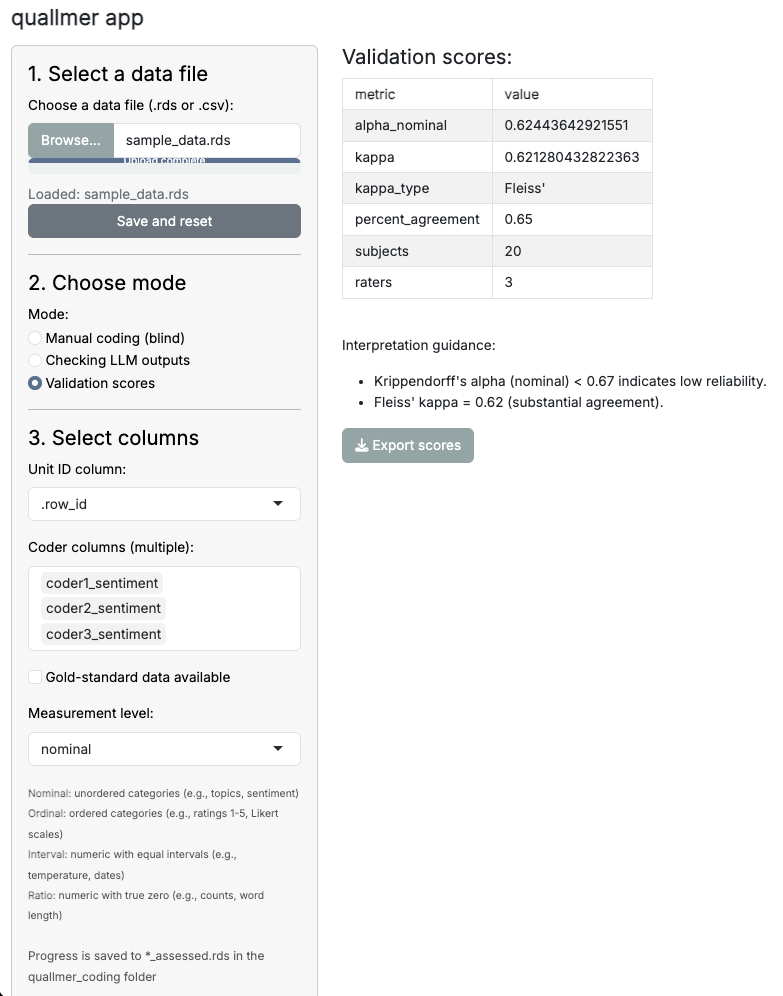
After completing the manual coding and reviewing the LLM-generated annotations, the Agreement App provides functionality to calculate intercoder reliability scores. You can choose from various metrics, such as Krippendorff’s alpha, Cohen’s or Fleiss’ kappa, to assess the agreement between different coders or between your manual codes and the LLM annotations or, as shown below, between multiple LLM runs. The app also provides some interpretation guidelines to help you understand the results.
Calculating agreement scores without the App
In addition to using the Agreement App, you can also calculate
agreement scores programmatically using the agreement()
function from the quallmer package. This function allows
you to specify your dataset, the column containing unit IDs, and the
columns containing coder annotations. Here’s an example of how to use
the agreement() function:
results <- agreement(
  data        = your_data,
  unit_id_col = "doc_id",
  coder_cols  = c("coder1", "coder2", "llm_run1", "llm_run2")
)
results
This will return the calculated agreement scores based on the specified coders or LLM runs.